
One [Cybersafety] Rule to Rule Them All
Last updated on August 9th, 2026 at 04:32 pm
 Have your children ever done something that you specifically told them not to do? Did you ever do something that your parents told you not to do when you were a child? The answer to both of those questions is probably yes. That’s why I never recommend that parents give their kids an order about cybersafety that is too restrictive.
Examples of this would be forbidding them from installing a given app or banning them from using a device or app as a punishment for a previous incident. As parents, we need to protect our kids, but the only way to do that completely would be to lock them away in a virtual prison and never allow them access to the Internet. Not exactly a practical solution.
I think it’s fair to say that many parents are concerned about what might happen to their kids when they’re online. We’ve all heard of horrific stories involving cyberbullying, sextortion, posting inappropriate content, etc. The natural reaction is to prohibit, even for a short time, their ability to use technology, often for a long time. I think that’s the worst thing that a parent can do.
The problem is that if something bad does happen to them, the child now has two reasons not to come to their parents for help. They may already fear getting into trouble in the first place for what happened, but whether they do or not, they are sure that they will get into trouble for doing something that their parents expressly forbid them from doing.
If this does happen, the potential for disaster grows exponentially because the chances of them coming to their parents for help go down with each passing second. I’ve seen this happen with people I know.
What Parents Should Do Instead
Instead, parents should concentrate on teaching their children the proper use of technology and the ramifications of using it improperly.
As a backup plan, all children should develop a HELP Network to help them through their online (and offline) problems:
Children should start by Heeding their instincts. If something feels wrong, it probably is. Granted, wisdom takes time, which is something by their very nature, they don’t have a lot of at this point of their life.
Next, they should Establish their inner circle. If a child is too afraid to speak to their parents about something that happens online, they need to have someone in their circle that they can speak to about it. This can be a teacher, pastor, neighbor or an older sibling (who may have gone through something similar already).
Once the inner circle is there, they need to Let someone in that circle know what is happening.
Finally, they need to Protect their friends if they need it. Reaching out to friends in advance or when they see their friends acting out of character, they should offer whatever help they can provide. Even if they can’t help them directly, they can help by letting them know that they’re not alone in this and may be able to direct them to someone in their own HELP Network who can help them as well.
Remember, the goal is to make it possible for the child to get help before things get out of hand, not to make them fear possible discipline.
Why Parents Need to Know About 764
Last updated on March 15th, 2026 at 08:15 pm
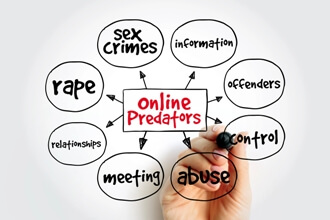
Previously for Pediatric Safety, I have written on cybersafety issues about specific apps, including Instagram and on how predators actively try to hunt our children. Recently, my local police department reported that through October 2025, they have made 17 arrests for predators against children. What’s more, over the past three years, they reported making 49 arrests. That’s a pretty high number considering where I live (even one is too high in my opinion).
What was notable was the distances that these men reportedly traveled to meet up with their underage targets. It made me think more about this type of activity and what parents need to learn to keep their kids safe.
What is 764?
Put simply, 764 is a loosely affiliated group of people all over the world who have goals that are abhorrent to most people. Their exact number of members is unknown. At their core, they have a hatred for the human race and humanity, which is ironic as they are part of what they hate. They reject any/all moral, religious, or social values. Key among their actions is tricking minors to carry out sexual acts, to harm themselves, and even to attempt suicide, all as they watch and record it all.
Due to their nature of staying hidden in the darkest shadows of the Internet, it’s very difficult for law enforcement to identify them. One of the more successful methods to do so by is posing as a young child and waiting for one of them to attempt to lure a child into doing something they would later regret. You would probably be appalled at how quickly people reach out to these
Their reach is global, thanks to the Internet. Here are just a few stories from England, Germany, & Canada. There are plenty of other examples from around the globe.
Their goals are despicable and are a parent’s worst nightmare, as they specifically target both boys and girls of all ages (far younger than you would expect). This is important because parents need to understand that as much as parents may engage with their children about what happens online, predators are actually engaging with them online and they’re very good at what they’re trying to do.
Five Takeaways to Help Protect Your Kids
The good news is that worldwide law enforcement agencies are aware of 764 and they have made some major arrests in 2025 of their leadership. What can parents do to help prevent any predator from grooming their child? Here are five things:
- Build up your child’s self-esteem so that they are more able to avoid attempts to trick them using the techniques I described previously for Pediatric Safety.
- Get involved in what your children are doing online and stay informed about what you need to know. If you’re reading this article, you’re already doing that.
- Let your children know that if a problem does happen, they can come to you for help. I’ve known too many kids refuse to tell their parents until it’s too late, which only makes matters worse.
- Never give an order that you know won’t be followed, such as completely banning them from using technology, because if something bad does happen, they will be less likely to come to you for help because they may expect to get into trouble for disobeying you.
- Read this article from the FBI which gives great tips on what to do and what not to do to keep your kids safe online.
Why I Don’t Care That October is Bullying Prevention Month
Last updated on November 24th, 2025 at 06:18 pm
 Every October is Bullying Prevention Month, and I couldn’t care less about it. Let me explain why that’s the case. If you’ve read any of my previous articles for Pediatric Safety, you know that I write about cybersafety, which often includes cyberbullying. Certainly, the awareness bullying prevention gets during October is a good thing. Every little bit helps.
It’s very possible that #BullyingPreventionMonth is trending this month or that articles on bullying show up in people’s feed, especially if their past Internet activity has a history of visiting related websites and reading such articles.
But like just about every other cause out there, after the day, week, or month is past, the attention that was generated slips away dramatically. Sadly, unless someone has experienced bullying or knows someone who has, what trends or what shows up in people’s feed will be very different come November first.
If you’re reading this, I’ll assume that you have an interest in stopping bullying. Thank you for that. If so, I ask that you pledge to continue helping all year long. You can do that by taking several easy steps.
Let’s all agree that we don’t want to encourage bullying behavior. Holocaust survivor Elie Wiesel is quoted as saying,
“We must always take sides. Neutrality helps the oppressor, never the victim. Silence encourages the tormentor, never the tormented.”
He couldn’t be more right. He’s also quoted as saying that what hurts the most is the silence of the bystanders who watched and did nothing.
The first step is to be an Upstander. That means standing up for people when you see them being attacked, whether they’re online or offline. If you would help a child in the schoolyard being bullied, then do the same thing if you see it online.
The same principle applies to adults as well, online or offline.
Bottom Line
If you want to help prevent bullying all year long, again, I thank you. You can start by finding good sources of information. Nothing stops a bully than being called out for it!
There are dozens of organizations that can be used as good sources of information about how to prevent it and how to handle it if it does happen. For the sake of space and your time, I’ll limit myself to four.
The first is https://www.stopbullying.gov/, a great source of information supplied by the U.S. government. It covers a wide range of helpful information.
Next comes the Owleus Bullying Prevention Program, provided by Clemson University and the program’s founder, Dan Owleus. Dr. Owleus had a lifetime passion for helping those hurt by bullying in all forms.
The third is the Cyberbullying Research Center, a terrific source of information on cyberbullying around the world. I use it myself and have met one of the founders and he clearly has a passion for bullying prevention.
The last source is my own company, Safety Net of PA, LLC. You can follow my company on Facebook, X, and Instagram, where I give daily information that helps everyone use technology wisely and productively, with an emphasis on cyberbullying prevention.
If you want to look for current/trending content on bullying prevention, look for recent posts with #BeAnUpstander, #PositiveSlamming, #BullyingPrevention, #BullyingAwareness, or #BullyingPreventionMonth hashtags. And then continue to be an Upstander all year long!
Avoiding Clickbait: 6 Ways to Protect Your Family
Last updated on July 6th, 2025 at 03:15 pm
 Have you ever followed a link and been surprised by what you saw or regretted doing it? Have your kids? If so, ask yourself this question: “Do you your kids share any devices with any other members of your family?”
That’s an important question because of the potential dangers associated with Clickbait. In addition to having family members fighting over devices because of how much time can be lost to being sucked down a rabbit hole, there are more serious consequences that can happen, as you will see.
Clickbait is any teaser to a link meant to entice people to follow the link. The reasons behind the motivation for clickbait typically:
- To drive traffic to a website, usually to sell advertising based on traffic volume or click rates.
- To create phishing attacks, spread malicious files, or steal confidential information.
- To influence people’s opinion based on biased “reporting” that is presented as being fair.
- To cause users, mainly young children, to spend money that their parents may not even realize is happening.
The dangers involved with clicking on dangerous links include spreading misinformation, eroding trust in online content, wasting a person’s time, causing emotional damage to readers, introducing viruses/malware, and more! For these reasons, everyone should learn the telltale signs of Clickbait and know how to avoid it before it’s too late.
Look For the Signs
Clickbait often uses emotional triggers, especially fear, excitement, or humor to get the reader’s attention. Once hooked, readers are often taken down a rabbit hole that they’d rather avoid. To lure in unsuspecting readers, Clickbait often uses over-the-top headlines that include phrases such as:
- “Only 30% Can Pass this Quiz. Can You?”
- “This Will Blow Your Mind!”
- “10 Ways to XXXXX and You Won’t Believe the Last One!”
- “What this Mayor Announced During her Last Town Meeting Will Leave You Speechless.”
Other possible telltale signs of Clickbait are articles with a misleading thumbnail/preview image, using frequent CAPS in the headlines, asking questions in the headline instead of using declaratives, and having the reader click on a <NEXT> or <MORE> button to continue reading the story.
Parents need to be particularly concerned with Clickbait that is specifically designed to target their children. Unlike “traditional” Clickbait, kids will likely come across it where parents are least likely to expect it – where their kids are playing games. In the case of games, pop-up ads called Loot Boxes can easily lure kids to places where their parents won’t want them to go, where they will be able to get a small value freebie for the game, but where the real goal is to get the child to purchase an expensive item that will give them an advantage in the game. For this reason, never have your phone, tablet or other device automatically linked to your credit card or bank account.
Another problem that can occur with Clickbait is ransomware. Ransomware is a specific type of malware that blocks a user out from using their computer and only lets them back in after they pay a fee (ransom). If ransomware is involved, where a virus is downloaded and only erased (hopefully) after the device owner pays a fee to the hacker, the costs could literally be in the millions of dollars. For more information on Ransomware, watch this video from IBM.
Problems with Clickbait include both ethical and legal issues. The ethical issues about wasting people’s time following links that provide no real value or answers are troubling enough. The legal issue in causing damage to someone’s devices can cost people hundreds or more in repair costs. In some cases, data such as work, or school related information may be irrevocably lost.
An informed reader/user is the best the best defense against getting caught by Clickbait. To avoid being caught by disreputable websites that may carry malware, here are some things that students can do:
1. Look for Verified Sites
Google vets millions of websites and provides the “Google Guaranteed Badge”, a green checkmark, to show which sites should be safe to use. Typically, only those sites that have received a badge will appear at the top of the search results, but on more abstract topics, it is possible that sites that have not earned the badge will appear at the top of search results.
2. Don’t take the Bait
Avoid headlines that sound outlandish. Legitimate websites rarely use headlines with outlandish wording. The most likely exception to this is when news organizations post opinions or editorials online, as they are typically not vetted in the same way as news articles.
3. Protect Your Privacy
Never give out your personal information to untrusted sources, including email addresses. Once on email lists, people may become acclimated to the emails and begin to trust them when they shouldn’t. To get removed from unwanted email lists, most legitimate sources have an unsubscribe feature. If that’s not an option, the email address should be blocked. To get removed from unwanted email lists, read this article by PC Magazine.
4. Protect Your Devices
Install anti-virus software to help prevent malware and identify risky sites. Keep in mind that there is often a lag time from when a new malware source goes live until anti-viral software can identify it and prevent it from attacking a device.
5. Use Google Scholar
Whenever possible, students should use Google Scholar for school assignments. The sites returned by Google Scholar have already been vetted for accuracy and reliability, which precludes the possibility for Clickbait. It may eliminate some potentially good sources, but students can rest assured that the sites it does provide to them will be acceptable for schoolwork.
6. Do Not Click on Links from Unknown Sources
Scammers are very good at sending emails that appear to come from legitimate sources. Everyone should read the email address carefully to make sure that it’s authentic. They may transpose letters that look like a legitimate source at a glance or use a link with an existing word that looks like an official website but is a fake. Scammers often send messages through Facebook Messenger saying that your account is going to be suspended and should be ignored.
Similarly, avoid clicking on links sent by friends, as they may have been tricked, so just because it came from someone a person knows (and trusts) doesn’t mean that it’s safe.
Last, by moving the mouse over a link, look for the preview of where it will take someone without actually clicking on the link. In my previous article for Pediatric Safety, it appears that there are three links that will all take the user to the Google home page.
However, if a user moves the mouse over the three links but does not click on the link, users can see where the link will actually go by looking at the preview link. This is typically in the lower left corner of the screen. As the mouse is moved over the three versions of the Google link, notice the true destination of the three versions.
Keep in mind that this is not a feature to cellphones, which makes it much easier to trick people to using clickbait to trap themselves with a virus.
Takeaways
At its best, Clickbait wastes people’s time, providing little if anything in return. At its worst, it can literally cause millions of dollars in damages and related costs. The risks associated with Clickbait grow much faster on shared devices, where the mistake made by one person can impact the entire family, especially on a shared network. Being able to recognize potential Clickbait is the first step to avoiding it. As the saying goes, “An ounce of prevention is worth a pound of cure.”
With some awareness of what’s involved, families can avoid Clickbait or at least minimize the risks. Learning about them as you are now is a good beginning.

